Evinco Knowledge Sharing Column Blog

Archive for the ‘SEO’ category

1. Put continuous effort on SEO
SEO is not a one-time process, you need to commit to the process and make the change regularly.

2. Get web analytics tools
You should have some analytics tools in place to measure the result of seo.

3. Build a site map page
You should have a site map page which lists out all the webpage of your website. This can ensure search engine spider has at least one direct link to the page.

4. No deep structure
Keep your website three levels deep in maximum. This not only helps customer to navigate your website, but also help spider to c

5. Use unique title and description for every web page
Be sure to put some of your keywords into the title and description.

6. Don’t put everything in a single paragraph
Add header and sub-header with h1, h2, h3 tag

7. Use alt text for all your images
Put description of your image into ALT tag.

8. Writ your unique content
Don’t copy from other website. Write your own unique content. This can definitely help your page rank.

9. Provides fresh content
You should keep posting new content and update your page regularly.
It is always better if you can update everyday.

10. Build quality links
One authoritative link can provide more than hundred poor quality links.

11. Don’t pay for links
Use money wisely on other areas, like PPC advertisement

12. Recommendation
Use “recommended products” to link between similar products or articles to increase their relevancy

13. Make SEO-friendly URLs
Put keywords into the URL and use hyphen to separate it.

14. Provides RSS feed
This can help your customer and attract some new traffic.

15. Provides friendly “Page Not Found” page
You may add some page suggestion for your “Page Not Found” page

16. Fix any broken link immediately
You may consider using 301 redirect to redirect those broken link to another page.

17. Provides Redirect page
Don’t just delete the webpage, use 301 redirect to redirect traffic to relevant page.

18. Submit to quality search engine/directories
Google, Yahoo, DMOZ, Bing.

19. Blogging
Start a blog and provide relevant articles to your website/business.

20. Social Media
Use facebook, twitter, digg to spread your product information wisely

21. Be patient
You cannot get instant effect with SEO. It may takes a month to see the result.

1. Title
Title will be shown in search results. You should put your keywords inside the Title tag. It is better to put keywords as close to the beginning.

2. URL
You should use keywords as part of the web address, URL. Search engine consider the keywords in URL and treat it as one of the important factors. For example, if you’re selling old mobile and choose “old mobile” as keywords, you can
- choose your domain name, www.old-mobile.com
- use it as sub-directory, yourdomain.com/old-mobile/index.html
- use it as webpage name, yourdomain.com/old-mobile.html

3. Heading
Use keywords in your H1, H2, H3 tags. Search engine counts those header as important factors which can affect your ranking. You should make use of headers to show your keywords.

4. Text in Anchor Link
This is another important factors. Search engine treats those link as the importance of the target page. You should use keywords within those anchor text.

5. Text in ALT
Search engine spiders cannot read the information in your image. You should put the description in the ALT tag. Put keywords into the ALT tag can let search engine knows the image is related to your keywords.

6. Beginning of contents
Search engine considers those information at the beginning is more important than those at the end.
You should also put your keywords in the beginning of your contents.

7. Density
Keywords density normally fall into 3-7%. If your pages has keywords density over 10%, search engine spider may think that it is keywords spamming.

8. Synonyms/Alternatives
You should find those synomyms or alternatives and also put them into your webpage.
For exmple,
- mobile and phone
- christmas and xmas
- computer and pc

Effective Web Design for SEO


January 21st, 2010

Search Engine Optimization (SEO) is important and have great impact on search engine ranking. Not only your web contents and the linkage from other websites, the web design of your website plays an important role to search engine optimization.

You should have a optimized web design which allows search engine spider to crawl your website easily and effectively.

Use CSS Stylesheet

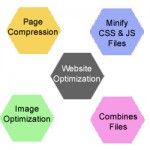
CSS Stylesheet allows you to separate the style of your websites from the web contents. It can definitely easier to maintain your web sites. It is better to keep the CSS stylesheet as an external file and you should also avoid in-line css style. This not only reduce the overall page size but also let spider to crawl your page easily.

External JavaScript

Avoid using Javascript navigation menu. Spiders like plain html file rather than javascript. Some spiders even skip those Javascript. If your menu is built with javascript, you should provide other plain html way to link to the page in your menu. This can give spider an alternate way to access your page. Similar to the CSS stylesheet, it is also better to keep those javascript in an external file.

Optimized Graphics

You should optimize the graphics used in your webpage. This can greatly reduce the overall page size. Remember that search engine spider can read text but they cannot read graphic. If it is possible, you should use text instead of graphics.

The following are the four basic but most important building blocks to improve your ranking in search engine results.

1. Title & Description Tag

Your title tag should have keywords that meaningfully describe your page. You should provide distinct meaningful title to every web page. Don’t just put your company name, but you should give a page title that shows the content of the page. You should make it readable and easy to understand.

The description tag may also influence the ranking of your page in search engine result. You should give a meaningful description about your webpage and try to put some keywords into the description tag.

2. Keywords

Keywords, of course, must be related to the contents of your web page. Remember to put the keywords into the contents in a sensible way. Keyword density is important to Google. The search engine robots will calculate the keyword density to determine the page is valid with meaningful contents. If the density is too high, search engine may think that it is a page that spam with keywords and it is not a useful information to the user.

3. Content

The content of your site is very important. You should try to provide useful and unique contents in your website and make sure that not only is it relevant to the topic of your site, but that it is interesting or informative to your readers/customers. If the information you provided is unique and you are the only source in the internet, people must visit your website to get the information. You should also update and add new content to your website regularly. This can encourage visitor to re-visit your website. If you stop doing that, people will stop visiting your site.

4. Links

Provide meaningful anchor text for the links within your web site and the links to your web site. Search engine crawler use the link to determine how importance is your web page. The anchor text is a important reference for crawler to understand your web page.

Besides building links to your web site, you should also build links within your web site. Ensure at least two internal links is linked to every page of your web site and there is no orphan page in your website. These can helps the search engine to crawl and find your web pages.

Search Engine Likes

1. Sitemap
Site Map is important. You should have a link to the sitemap page in your home page. The sitemap should list your website page one by one with a descriptive title. It not only helps your visitor to find your page, but also help search engine spider to crawl your website easier.

Besides the sitemap page, you should also submit your sitemap to Google and Yahoo. These can definitely helps these two big search engine to index your website.

http://www.google.com/webmasters/sitemaps

http://siteexplorer.search.yahoo.com

2. RSS
RSS stands for “Really Simple Syndication”. It is an XML-based format and it is used to provide items containing short descriptions of web content together with a link to the full version of the content. Web publishers use RSS to create and distribute news feeds that include links, headlines, and summaries. It can be used for distributing and gathering content from sources across the Web, including newspapers, magazines, and blogs.

RSS is a popular way to distribute information across Internet. It has links, descriptions and contents which are the great resource for search engine spider.

3. Blog
Blog contains fresh and hot topic. These are the good source for search engine. If you have a blog, search engines spider may favor your website and visit your website more frequently and regularly.

Search Engine Not Like

1. Image
Search engine spider can understand the text, but they don’t know your image. Don’t put any text on your image as the spider cannot read it. Search engine spider can only interpret the image with the “alt” attribute or the file name. So, remember to add those alt attribute for every image in your web page.

2. Flash
Similar to image, search engine spider cannot interpret the flash. In Google, there is no method for you to search for flash. If you have a flash in your web page, you should provides an alternate way for the search engine to crawl.

3. Frame
Most major search engines do not support them. Search engines are unable to spider content contained in a frame, regardless of its format. You can use div tags and CSS to provide frame-like page, which are SEO friendly.


1. Search Engine/Directory

This is the very first step to start for link building. You need to submit your web site to search engines and directories.
You may also look for those industry specified directory to submit.

2. Reciprocal links

Search and locate those relevant websites. Send an email to the webmaster and ask for link exchange.

3. Press release

Put your web site information into the press release. Send your press release to different web sites.

4. Article Biography

Put your web site information into the Author Biography in the articles. Submit your articles into articles directory.

5. RSS/ Blog

Prepare your RSS or blog and encourage other to subscribe to your RSS/Blog.

6. Comment

Post your comment to other’s blog/articles/forum. Remember to write your web site link as signature.


Title Optimization

  • - include your company name or site name in the title
  • - include keywords
  • - make it readable and easy to understand, e.g. Buy XYZ from ABC company


Description Tag Optimization

  • - show your unique selling proposition
  • - include keywords
  • - two to three sentences is enough


Keywords Tag

  • - use two or three words phrases
  • - don’t spam keywords


HTML Tag

  • - use H1 tag, but don’t overuse. One or two is enough
  • - use H2, H3 tag for subheader
  • - use B tag to highlight important things
  • - put keywords in H1, H2, H3 anb B tag


Link

  • - provide meaningful anchor text. Don’t use “click here” as anchor text.


Image Optimization

  • - adjust the image to reduce file size and keep the looks of image indifferent
  • - provide alt text
  • - provide title tag
  • - use meaning filename


Follows are the three Don’t when perform Search Engine Optimization:

Don’t rely on SEO company

SEO may helps you to submit website, may helps you to edit your web copy. But the most important part of SEO is keywords selection. You know your business and targeted customer than the SEO company do. So, do it yourself. Talk with your customers and ask their opinion on keywords, and glossary to describe your products and your company.

Don’t submit to hundreds search engines

You only need to target those famous/big search engines. The effort spends on submitting to the rest of hundreds may not brings you a customer. It is because their traffic is so little and not hit your target customers. Moreover, those search engines may rely on the result of the big one. If your site is listed on the big search engines, it maybe listed on the small one also.

Don’t repeat your submission

Repeat submission to search engine provides no help to your website ranking. In some cases, repeat submission may even be marked as spam and result in lower ranking. Put your efforts on other areas, like keywords selection, proofread your web copy, etc.


1. Is your text human friendly?

2. Is your title tag unique to the page?

3. Does title tag use at least one of your keywords?

4. Do you have a description meta tag?

5. Is the most relevant keyword shown in the first paragraph?

6. Does it display “above the fold”? Need to scroll vertically or horizontally?

7. Using keywords in alt/title attributes for describing images/links?

8. No important keywords are in images

9. Do you have a good keyword density?

10. Did you include some keyword variations such as plurals and past tense?


Choosing the right keywords is always challenging. There are two factors you need to consider in selecting keywords, they are relevance and popularity.

If you select a keyword or keyword phrase that is highly relevant but is never searched on, your product will never been shown to the customer. You cannot make any money from it. On the other hand, if the keyword word is incredibly popular but have nothing related to your product, you will not have a good conversion. What you only got is web traffic but they are not targeted. Generic keywords bing a lots of impression but result in few click-throughs. More than that, generic keywords do not result in qualified traffic. Unqualified traffic is less likely to convert to a sale.

You should pick a keyword that is popular enough and highly related to your product. The more relevant a term to your product, the more likely the website visitor will convert to a sale. The key to selecting good keywords is striking a balance between relevance and popularity.