The “Excel Ceiling”
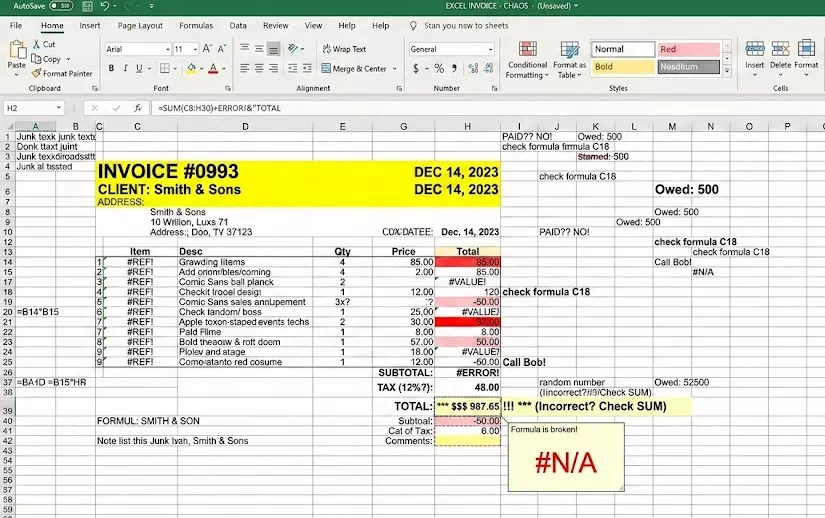
Most businesses start with an Excel template because it’s flexible. But as you grow from 5 invoices a month to 50, that flexibility turns into a liability. If you are still “Save As-ing” a new file every time you bill a client, you aren’t just using a spreadsheet—you’re managing a manual nightmare that is holding your brand back.
1. The “Human Error” Tax
Excel is a blank canvas, which means it’s prone to “finger-slip” errors.
- The Broken Formula: One accidental deletion of a cell formula can result in undercharging a client (losing money) or overcharging them (losing trust).
- The Duplicate Numbering: Manually tracking invoice numbers in Excel leads to duplicates, which creates a nightmare for your accountant and looks unprofessional to your clients.
- EasyBilling Fix: Automation. Software calculates totals, taxes, and unique invoice numbers automatically. You focus on the data; the software handles the math.
2. Branding: First Impressions Matter
Your invoice is often the last touchpoint a client has with your brand.
- The “Template” Look: An Excel-generated PDF often looks generic. Alignment shifts, fonts look inconsistent, and it’s difficult to add professional touches like digital stamps or watermarks.
- Consistency is Key: If your Quotation looks different from your Invoice, which looks different from your Delivery Note, you look unorganized.
- EasyBilling Fix: Unified templates. Every document—from a weight list to a tax invoice—shares a consistent, professional layout with your logo, colors, and headers pre-set.
3. The “Search and Find” Struggle
Where is that invoice from three months ago for Client X?
- The Folder Maze: In Excel, you have to dig through folders, open individual files, and hope you named them correctly. You can’t easily “search” for every item sold to a specific person across 50 separate files.
- EasyBilling Fix: A centralized database. Search by client, date, or item instantly. You can pull a “Customer Purchase History” report in seconds, something that would take hours to compile manually in Excel.
4. Data Silos vs. Integrated Workflow
In Excel, your Quotation and your Invoice are two separate islands.
- Double Entry: You spend time re-typing the same information from a Quote into a New Invoice. Every time you re-type, you risk a mistake.
- EasyBilling Fix: One-click conversion. EasyBilling allows you to “Load From” a previous document. Convert a Quote to an Invoice or an Invoice to a Receipt instantly. No re-typing required.
5. Security and “SaaS Fatigue”
Many people think the only alternative to Excel is a monthly subscription (SaaS) that stores their data in the cloud.
- The Privacy Concern: When your financial data is in the cloud, you don’t truly own it—the provider does. If you stop paying their monthly fee, you lose access to your history.
- The EasyBilling Advantage: Like Excel, EasyBilling is local. You own your data. Unlike Excel, it’s a structured database. It offers the privacy of a local file with the power of professional software—all for a one-time lifetime license.
Conclusion: It’s Time to Level Up
Excel is a calculator; EasyBilling is a business tool. If you want to spend less time “fixing cells” and more time growing your business, it’s time to move beyond the spreadsheet.