
For many small business owners, the “sales cycle” is a mountain of manual data entry. You type a quotation in Excel, then re-type the same details into an invoice, and eventually manually create a receipt once the check clears. This isn’t just tedious—it’s where expensive mistakes happen.
EasyBilling was designed to eliminate this “double-entry” headache. By using a “Convert and Carry” workflow, you can move a customer from their initial inquiry to a final receipt in just a few clicks.
Here is how to master the perfect sales workflow without ever re-typing a single line item.
Step 1: The Professional Quotation
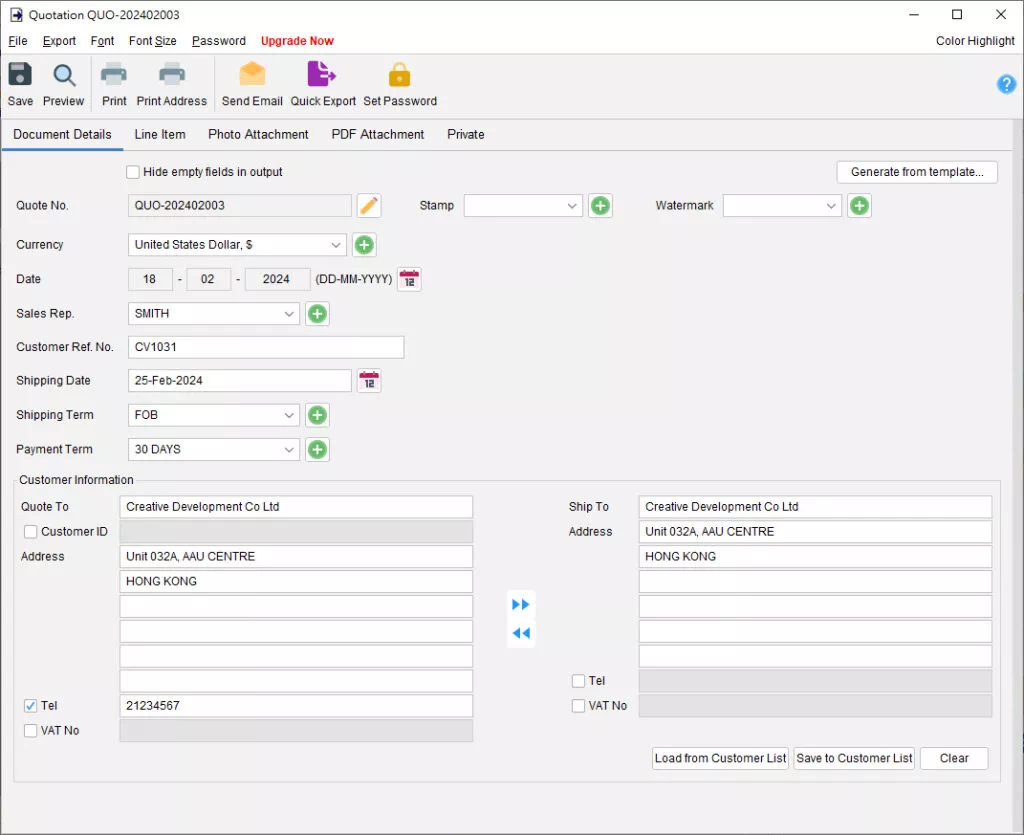
Everything starts with the Quotation. In EasyBilling, you simply select your customer and your items from your pre-defined lists.
- The Benefit: EasyBilling automatically handles the math, including tax/VAT calculations and grand totals.
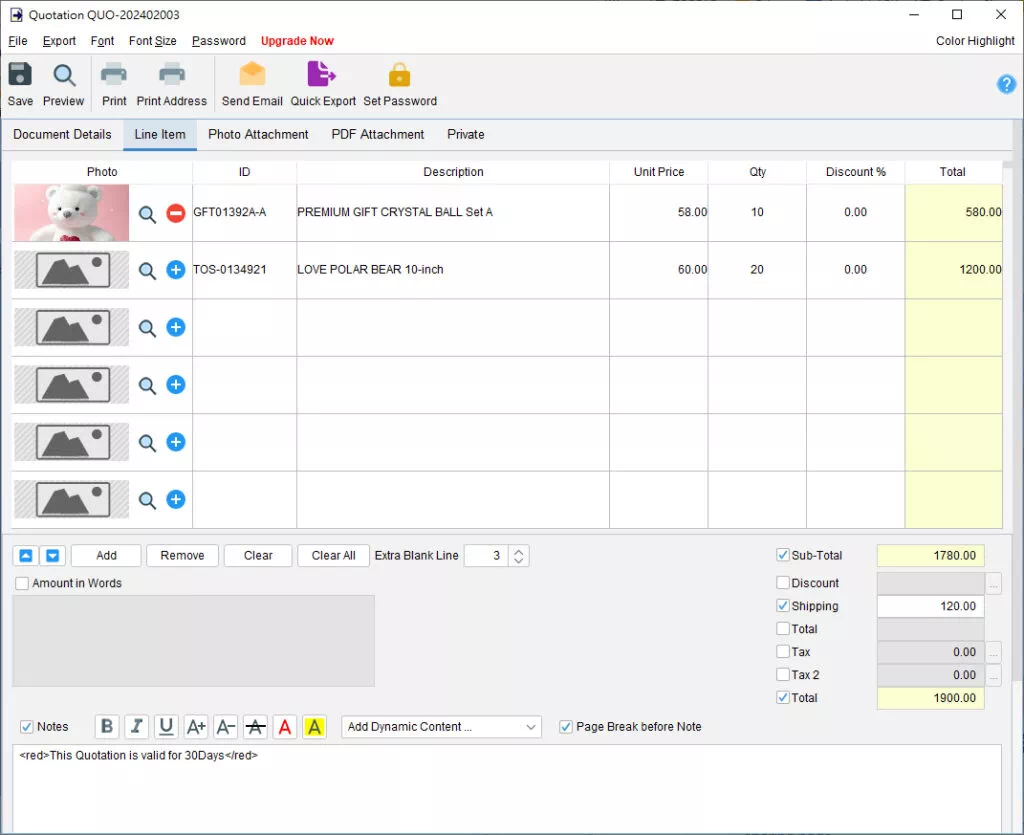
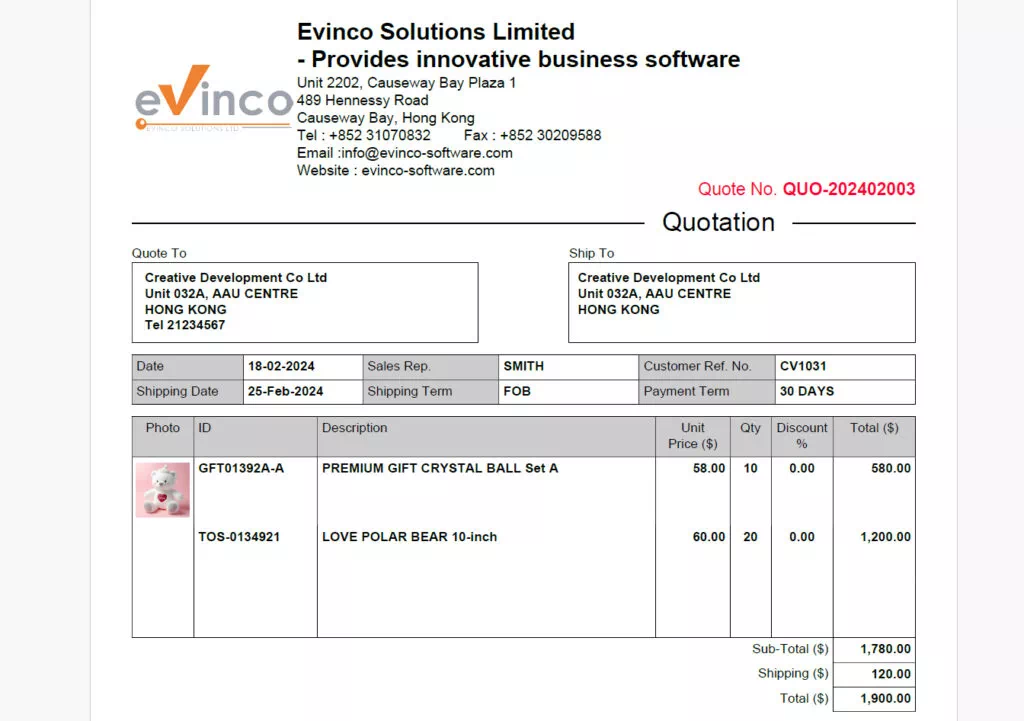
- The Look: You can add your company logo, a digital signature, and even product photos to make your bid stand out from the competition.
Step 2: The Proforma Invoice (The Bridge)
Once a client expresses interest but isn’t ready for the final bill, you can instantly generate a Proforma Invoice.
- How it works: Instead of starting over, you simply “Load Data” from your existing Quotation.
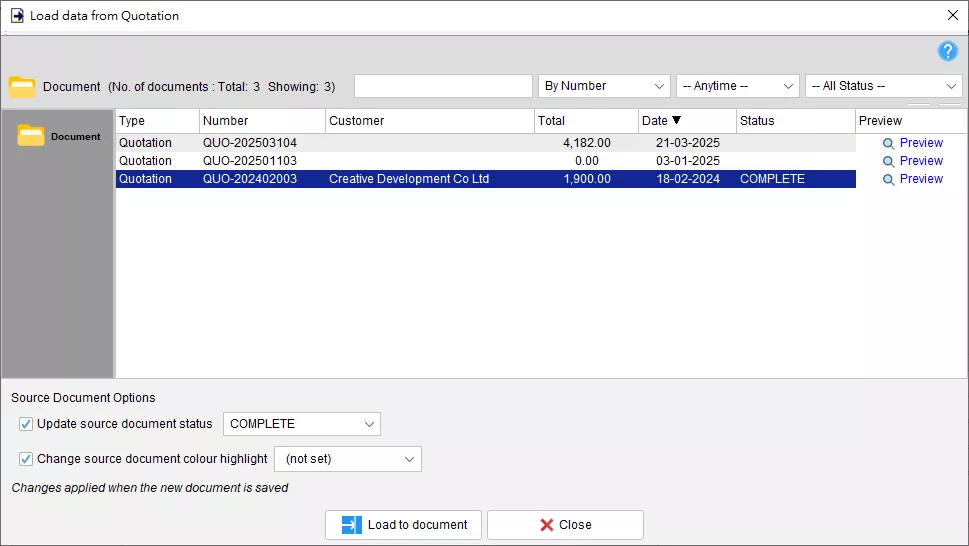
- Why use it: This acts as a preliminary bill of sale, confirming the commitment before the goods or services are officially delivered.
Step 3: The Official Invoice
This is the most critical step for your accounts. When the job is done or the product is shipped, you convert your Quotation or Proforma into a formal Invoice.
- Automation in Action: EasyBilling assigns a unique, sequential invoice number automatically. All descriptions, unit prices, and discounts are carried over exactly as they appeared in the quote, ensuring there are no pricing disputes with the client.
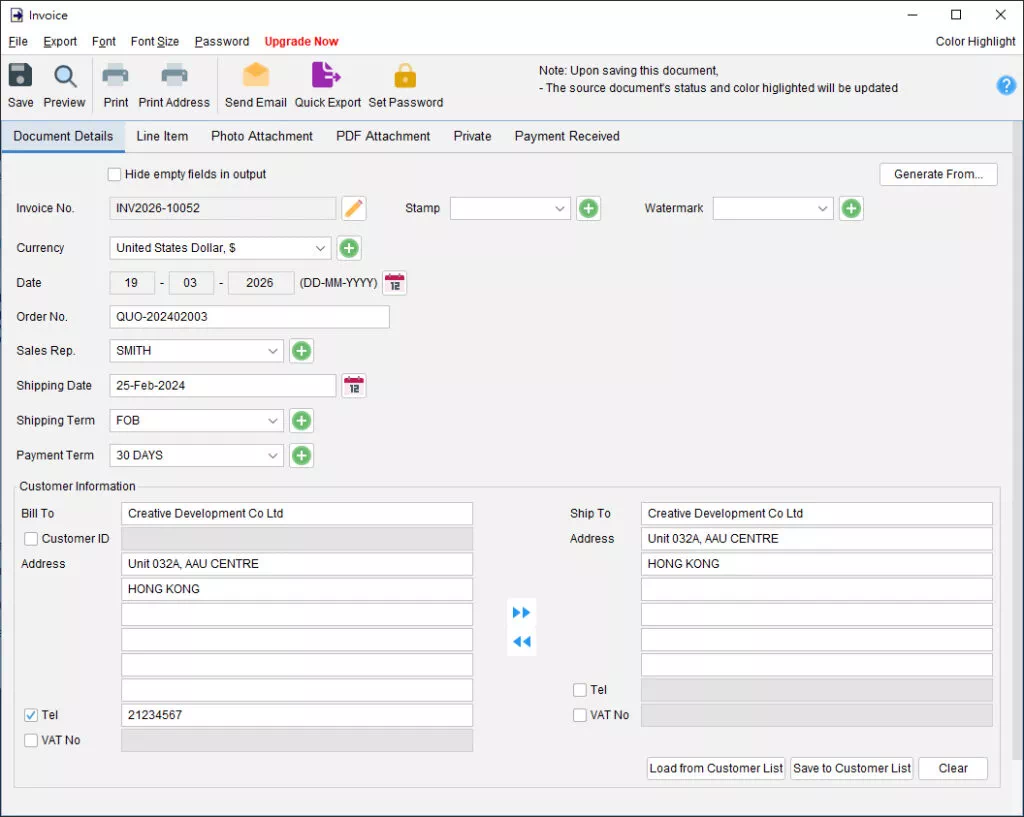
- Flexibility: Need to add a shipping fee at the last minute? You can edit the document instantly before hitting “Save.”
Step 4: The Final Receipt
The best part of the cycle: getting paid. Once the payment is confirmed, you generate the Receipt.
- The Workflow: Load the data from the Invoice, and EasyBilling will mark the transaction as complete.
- Professional Finish: You can choose to print the receipt or export it as a PDF to email directly to the customer.
Why This Workflow Saves Your Business
By using this automated chain, you gain three major advantages:
- Zero Data Entry Errors: Since you only type the item details once (at the Quote stage), there is no risk of typos or price changes as the document moves through the system.
- Audit-Ready Records: EasyBilling keeps a digital paper trail. You can see exactly which Quote turned into which Invoice.
- Massive Time Savings: What used to take 20 minutes of copying and pasting now takes 20 seconds of clicking “Load.”