
When you open a new shop, run a pop-up store, or start a small retail business, you want everything to look professional. When it comes to the checkout counter, there is a common misconception: to give customers a proper receipt, you need a massive, expensive touchscreen POS (Point of Sale) system.
You look at the big retail chains with their bulky registers, barcode scanners, and cloud-connected tablets, and you assume that is the only way to do business.
But here is the reality: if your primary goal is to ring up sales, print a clean receipt, and keep a record of your transactions, a full POS system is often an expensive overkill.
Here is how you can set up a professional, lightning-fast checkout counter without the monthly fees, the steep learning curve, or the bulky hardware.
Why Complex POS Systems Are Overkill for Small Shops
Cloud-based POS systems are incredibly powerful, but they come with heavy burdens that small business owners don’t always need to carry:
- The “Subscription Trap”: Most modern POS systems charge a monthly fee (often $50 to $100+ per month), plus additional transaction fees. Over a year, you are spending over $1,000 just for the privilege of using their software.
- The Setup Headache: Full POS systems require you to upload your entire inventory, configure complex tax rules, and set up employee profiles before you can even print your first receipt.
- The Wi-Fi Dependency: Because they are cloud-based, if your internet goes down, your checkout counter freezes. You can’t print a receipt or open the cash drawer.
If you don’t need to manage three warehouses of inventory or track 50 employees’ shift hours, you don’t need a complex POS.
The Minimalist Checkout: What You Actually Need
To look 100% professional and serve your customers quickly, you only need three things. You probably already own one of them.
1. A Standard PC or Mac (Which you likely already have)
You don’t need a specialized touchscreen register. Any standard Windows laptop, desktop PC, or Mac will work perfectly.
2. A Basic Thermal Printer
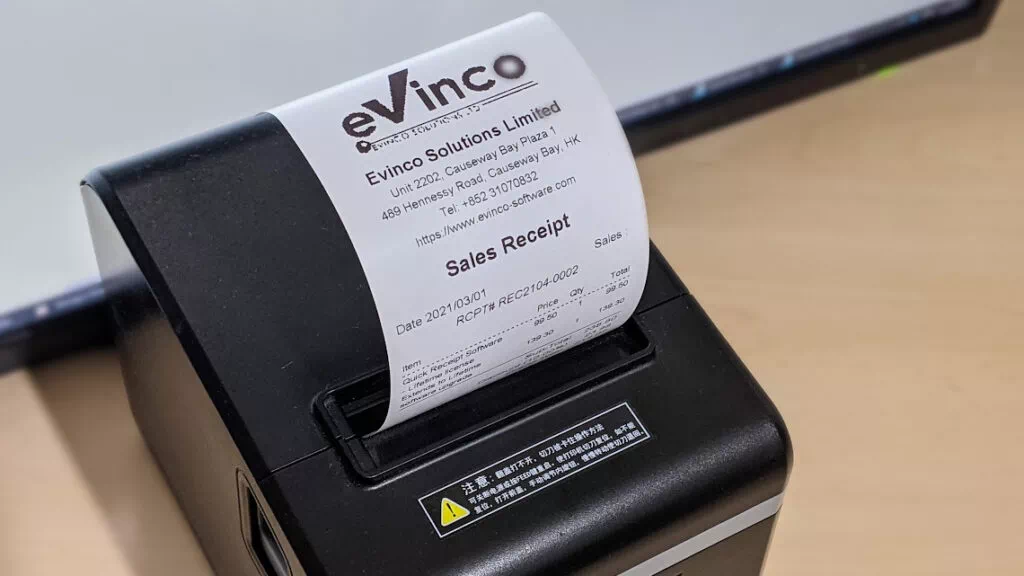
Thermal printers are fast, reliable, and require zero ink. You can buy a standard 58mm or 80mm thermal printer online or at a local electronics store for a fraction of the cost of a full POS hardware bundle. They connect directly to your computer via USB.
3. Dedicated Receipt Software (Quick Receipt)
This is the missing link. Instead of using a bulky POS or wrestling with messy Excel templates, you install lightweight, dedicated software like Quick Receipt.
How Quick Receipt Replaces the Bulky Register
Quick Receipt is designed specifically to bridge the gap between “unprofessional handwritten receipts” and “overly complex POS systems.” It turns your standard PC and printer into a fully functional checkout station.
Here is why this setup works so well for small businesses:
🌟 Instant Professional Branding
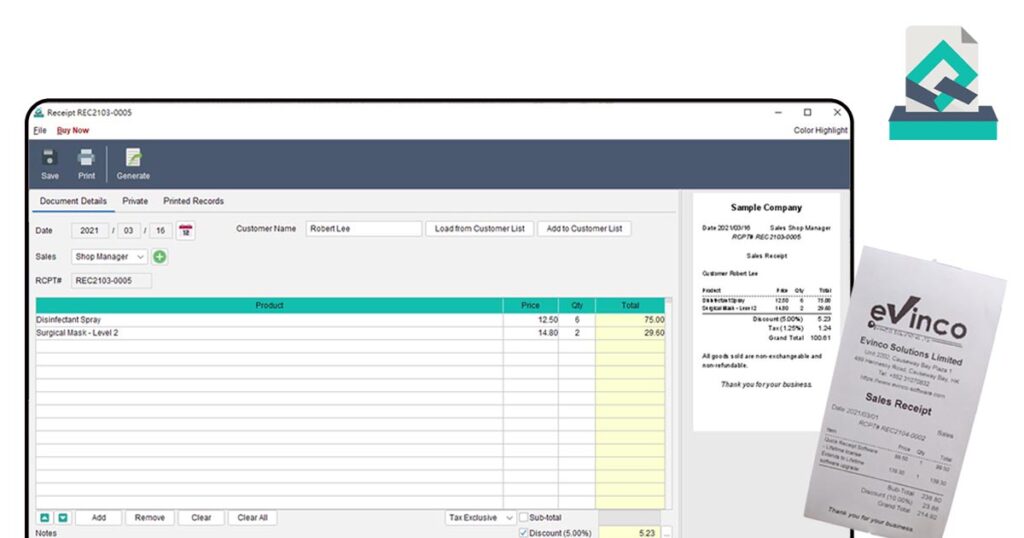
You don’t need a $2,000 system to build brand trust. Quick Receipt lets you easily add your company logo, custom header, and a “Thank You” footer to every printout. You can even generate and print a QR Code at the bottom of the receipt to send customers to your website or social media pages.
🌟 Type, Calculate, and Print in Seconds
There is no need to set up a massive inventory database if you don’t want to. You can simply open Quick Receipt, type in the item name and price, and the software automatically calculates the subtotal, taxes, and discounts. Hit print, and it instantly sends the perfectly formatted receipt to your thermal printer.
🌟 Works 100% Offline
Because Quick Receipt is installed directly on your Windows or Mac computer, it doesn’t care if your Wi-Fi drops. Your checkout line will never stall because of an internet outage.
🌟 Automatic Digital Records (No More Paper Shoeboxes)
Even without a giant cloud database, you won’t lose your sales history. Every receipt you print is automatically saved as a digital image copy within the software. At the end of the week, month, or year, you can easily export your sales data to an Excel file for your accountant.
The Verdict: Keep It Simple and Save Your Money
Looking professional doesn’t have to cost a fortune. By combining a computer you already own, an affordable thermal printer, and Quick Receipt software, you get all the branding and speed of a major retail chain without the monthly subscription fees.
Quick Receipt offers a Lifetime License for just US$135. You pay once, and you own it forever. No monthly fees. No hidden transaction costs.
Ready to streamline your checkout?
Download the [Quick Receipt Free Trial] today. It is fully functional, takes minutes to install, and will have you printing professional thermal receipts before your next customer walks through the door.