PhotoX  >>  Download Free Trial  |  Buy Now  |  Release History  |  Q&A  |  How-to  |  User Guide  |  Support Forum
Learn money back guarantee details
Recommend PhotoX to your friend

PhotoX Box Shot

PhotoX Batch Watermark Creator

Avoid Unauthorized Use
Watermark to Protect your Photos

Now Only
US$34.95

Download Free Trial of PhotoX Software Buy PhotoX now and protect your photos!
  • Add Watermark Quicker and Easier

    Watermarking multiple photos in a single batch.
    Just a single click, all photos are stamped with the same watermark.

  • Fit your Company Image

    Use your company logo or other images as watermark.
    You can also define your own watermark text with different style: Font, Size, Bold, Italic, Underline and Color

  • Keep Visibility of Photos

    Adjust opacity of watermark to keep the visibility of your photos.
    The watermark can also be placed in different position by adjusting the margin.

  • Support Different Formats of Image

    BMP, JPEG (JPG), PNG, PNM, RAW, TIFF, WBMP, etc

  • Bonus tools to protect your photos

    Besides watermarking, four bonus tools are provided to protect your photos.
    Grayscale - convert your photos into grayscale;
    Add Strip - add strips on top of photos;
    Thumbnail - generate thumbnail of photos
    Fade Out - apply fading out effect to photos
    Brightness - adjust the brightness and contrast of photos

  • Apply Multiple Effects

    You can even apply multiple effects to protect your photos. For example, you can add a watermark to your photos and convert them into grayscale at the same time.


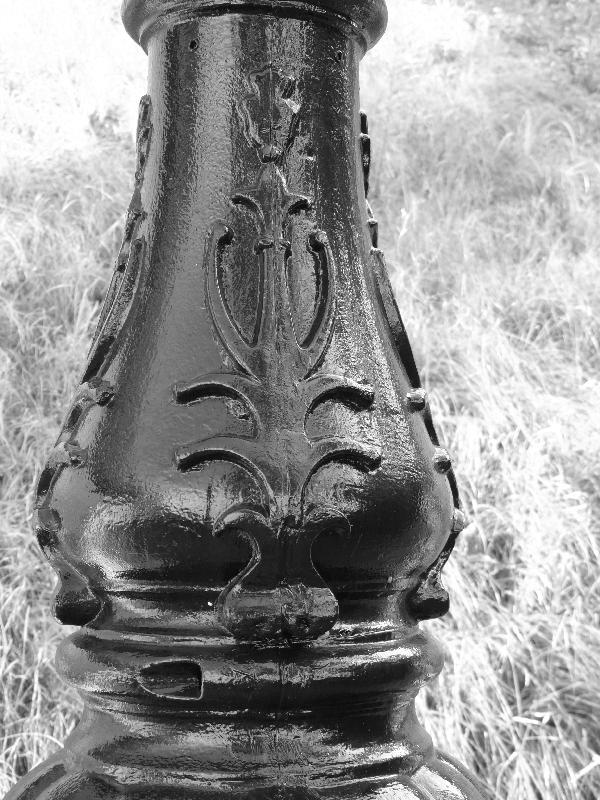
Sample watermarked picture

"The softwrae is really good. It not only add watermark, but apply other effects. I also like the set up, ease of use, and on screen display."
- Josprieto, Toronto
"Good Software with easy to use interface."
- Clive Williamson, Glasgow UK
"I like this watermarking tool. It did what it supposed to."
- Colean Shea, San Francisco
Download Free Trial of PhotoX SoftwareBuy PhotoX now and protect your photos!


How to Use
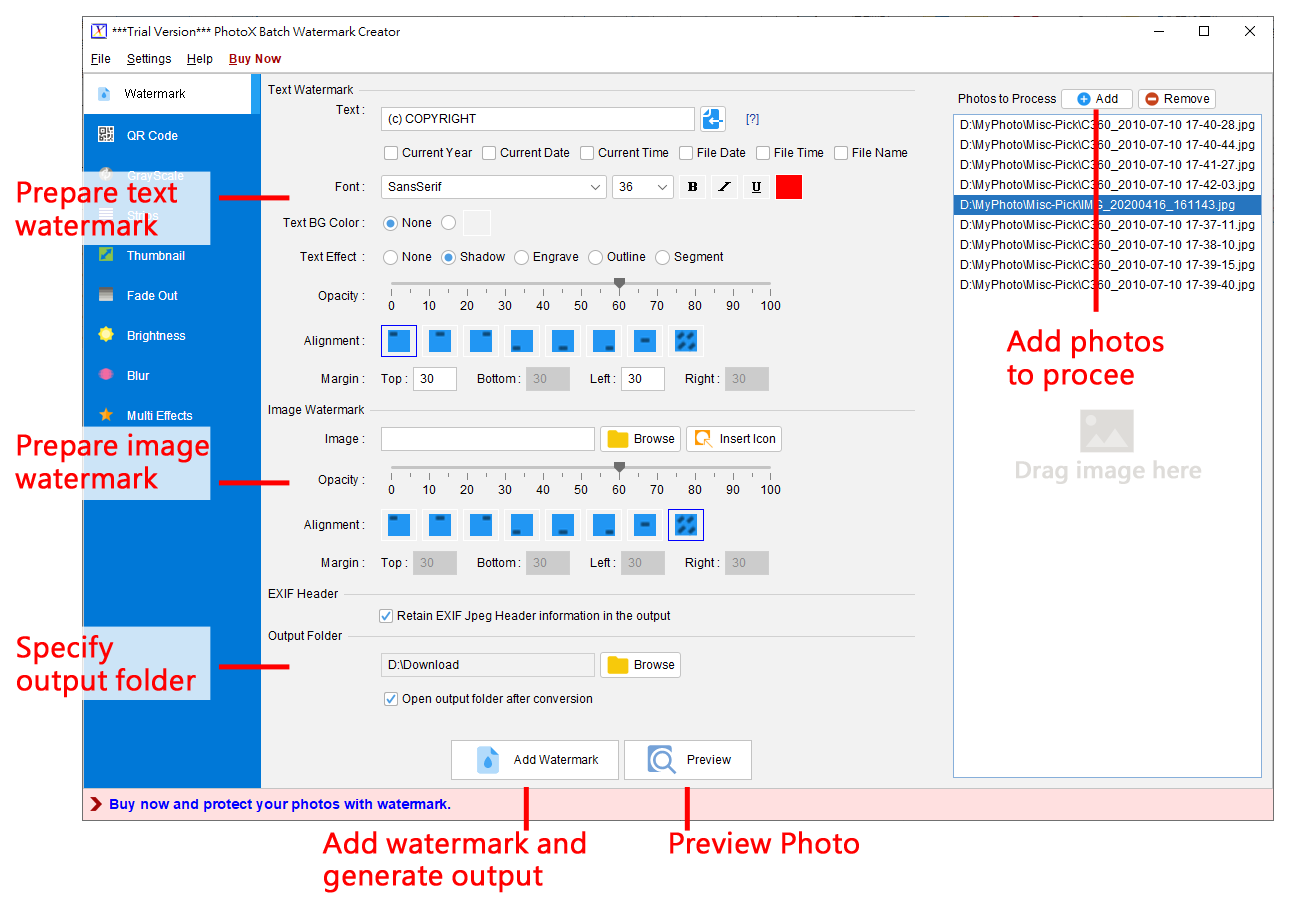
Only three steps to watermarking multiple photos.

(1) Add Photo to Process
On RHS, you can add the photo files to the process list.


(2) Prepare Watermark
On LHS, you can prepare your watermark.

You can add text watermark, image watermark or both, specify the opacity and alignment of the watermark.

For text watermark, you can also specify the font style.


(3) Preview and Output
When your watermark and photos list are ready, click the button at bottom to preview or generate the watermarked photos.

Screenshot about PhotoX Watermark usage
Click to enlarge

Sample Outputs
Image and Text Watermark at corners Convert landscape photo to grayscale Add horizontal strips over photo Add purple fade out effect on photo
Text watermark with style Add watermark diagonally across photo Text watermark on photo Text and Image watermarks on photo
Logo watermark lists over photo convert portrait photo to grayscale Add vertical strips to photo Add white fade out effect to photo

Software Summary
Product NamePhotoX Batch Watermark Creator 2.9.1
Latest Version
Release Date
2013-06-04
(First version released in 2006)
Interface LanguageEnglish, French, German, Chinese (Traditional/Simplified)
PlatformWindows 8, 7, Vista, XP, 2000, NT, 98
InstallationThe downloaded file is named setup.exe (38.3MB).
Once download is complete, double click on setup.exe to install.

Pay attention to the folder where your browser saves setup.exe file.
PriceUS$34.95

- One Time fee. No monthly fees & your license never expires.
GuaranteeRisk-free 30 Days Money Back Guarantee for PayPal or ShareIt! order
Leaflet (PDF)PhotoX Software Leaflet
Download Free Trial of PhotoX SoftwareBuy PhotoX now and protect your photos!
For enquiries, please contact us via

Customer Hotlines :
(852) 3107-0832

Email :
photox@evinco-software.com


Online Support