Evinco Logo Evinco 軟件:提升你的業務效率
Evinco Logo
 
ChequeSystem
支票列印管理軟件
v8.7.1 • 支援 Windows 及 Mac
下載免費試用版
功能齊全,體驗完整功能
列印

在 Windows 安裝 ChequeSystem

  1. 下載 ChequeSystem 軟件試用版本
    https://www.evinco-software.com/chi/download-chequesystem.php
  2. 點擊下載的 chequesystem-setup.exe 檔案開始安裝程序
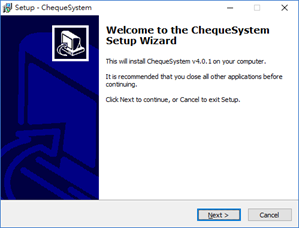
    1. 安裝程序歡迎畫面
      ChequeSystem Installation - Welcome Screen
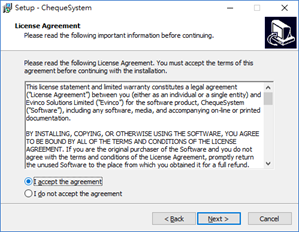
    2. 確認接受軟件使用許可協議
      ChequeSystem Installation - License Agreement
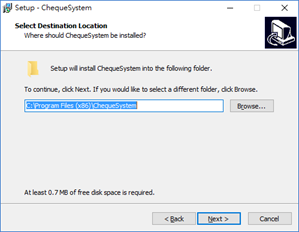
    3. 選擇軟件安裝位置
      ChequeSystem Install Location
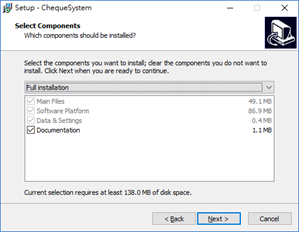
    4. 選擇要安裝的部件
      ChequeSystem Installation - Install Component
    5. 安裝ChequeSystem供所有使用者使用或僅供當前使用者使用,並選擇是否建立桌面捷徑
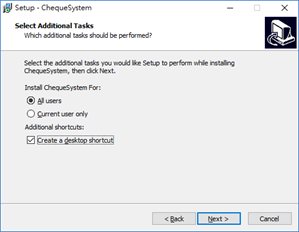
      ChequeSystem Installation - Install for All Users
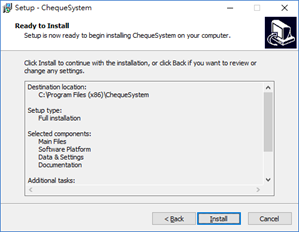
    6. 按 [Install] 按鈕開始安裝
      ChequeSystem Installation - Ready to Install
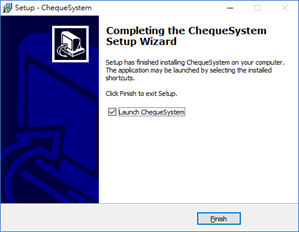
    7. 安裝完成,可以開啟 ChequeSystem 軟件使用
      ChequeSystem Installation - Install Complete