
Print
Where to set date format?
- In the main screen, navigate to the menu “Document Settings > Document Preferences“.
- Document Preferences Windows will be shown.
- On the left, click to change to Date Format section.
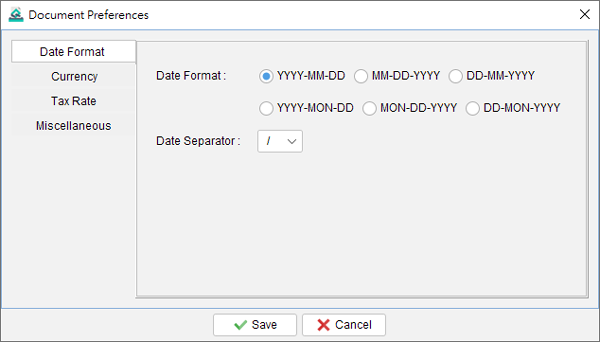
- You can select the preferred date format and date separator. The settings will be applied to the document.
- Click [Save] button to save.

Updated
-
Getting Started
-
Document
-
Document Settings
-
Customer List
-
Item List
-
Report
-
Settings
-
Tools
-
Database
-
How To
- How to Adjust Receipt Margins for Optimal Printing
- How to manage two companies in one Quick Receipt?
- How to export document data to Excel for further analysis?
- How to adjust column width of the line item in document?
- Add a QR Code to Receipt
- Where to set the default tax rate?
- How can I change the tax field? I need a VAT field.
- Where to set date format?
- How to Organize Document with Color Highlighting feature?
- Customize Columns Displayed in Document List
- Connecting Cash Drawer to Your Thermal Receipt Printer
- Create Windows Desktop Shortcuts for Databases
- Update Document Status
-
Troubleshooting