
Cheque Printing shifts upwards or downwards?
How to Adjust Vertical Print Alignment
If your cheque text is shifted too high or too low, but the fields are aligned relative to each other, you can resolve this by adjusting the Vertical Offset. This compensates for the unique paper-feeding mechanisms of different printers.
Identifying the Issue
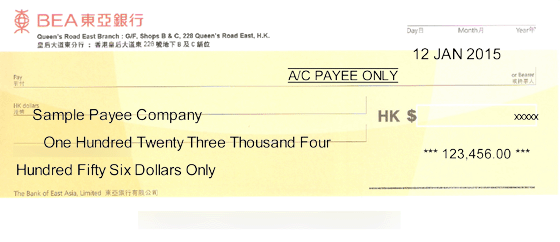
Below is an example of a cheque where the printing is shifted too far down:
Steps to Calibrate
To align the text with your physical cheque, follow these steps:
- Navigate to the menu “Settings > Printer & Font”
- Locate the Vertical Offset field.
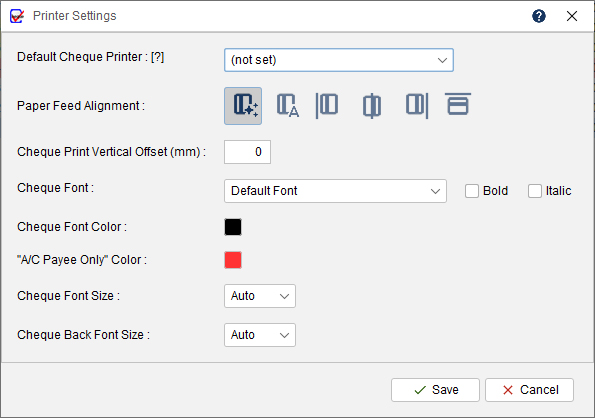
- Enter a value (mm) based on the direction of the shift:
To move text DOWN: Enter a positive value (e.g., 5).
To move text UP: Enter a negative value (e.g., -5). - Save your settings and perform a test print on a blank sheet of paper.

Tip: We recommend using a “trial and error” approach with small increments (e.g., 2–3mm at a time) until the alignment is perfect.