
Why are non-English characters not being printed correctly in ChequeSystem?
If you notice that non-English characters appear as square blocks on the printed cheques, it is likely because the font does not support those characters.
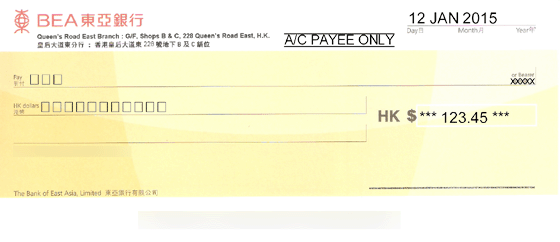
To resolve this issue, you can change the font settings to one that supports your specific non-English characters. Here’s how:
- Go to the main screen and click on the menu “Settings > Printer & Font“.
- In the popup dialog, select an appropriate font that supports your non-English characters.
- Click the [Save] button to save the changes.
By selecting a compatible font, you can ensure that non-English characters are printed correctly on your cheques in ChequeSystem.